Capacity planning for government contractors: every person against every month
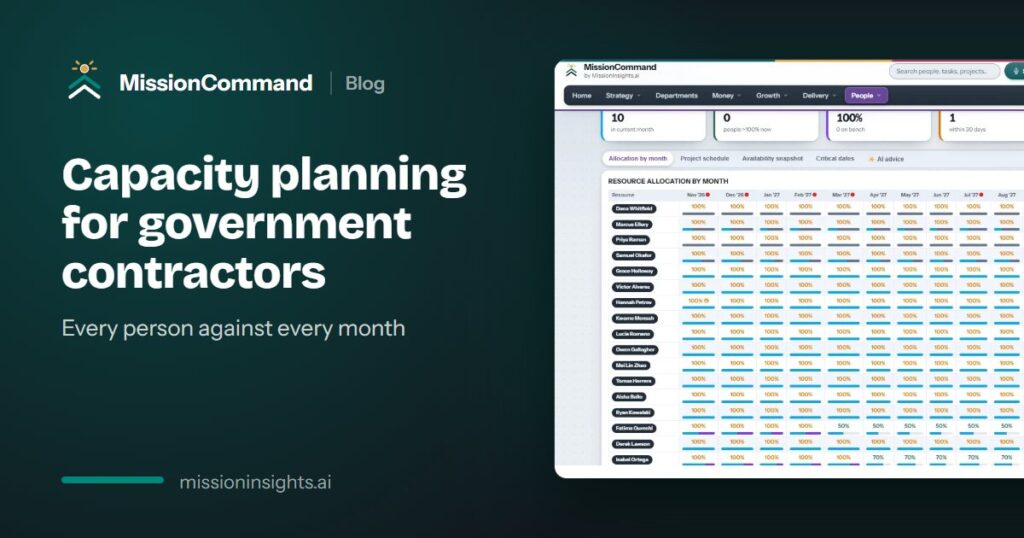
For a small government contractor, people are the business, and the most expensive person is the one with no work behind them. An assignment ends, a few people drift, and nobody decides anything. They stay on payroll with no real work, and cash drains quietly. At the same time, a few names appear on every project, and you find out they were overloaded when a deadline slips.
Every person against every month
The simplest useful view of capacity is a grid: people down the side, months across the top, and in each cell the share of that person’s time that has work behind it. Two thresholds make it readable at a glance:
- Above 100 percent: overloaded. Show it red.
- From 85 percent: close to full. Show it amber.
Read the grid forward, not just for this month. A contract winding down shows up as cells emptying out months before payroll feels it.
Watch for workloads about to fall
The most useful list in capacity planning is short: the people whose workload is about to drop, and the month it starts. That is the list operations should look at every week, because it is where the bench comes from.
Count the bench as a cost
People on the bench are still payroll. A cash projection should keep counting them until a person makes a decision about them. The software can show the cost. A person makes the call.
Test staffing decisions in a sandbox
A new award, a hire or a departure changes utilization and profit by project. Try each one as a scenario first, save it, compare it with the alternatives, and only apply it to the live plan when you have decided.
Start hiring before the award, not after
Too often the award lands and only then does anyone ask who is free in March and which seats need a new hire. If recruiting is tied to the contract, an unfilled position becomes a requisition with candidates tracked against it, and the resume bank already knows role, clearance level and skills.
How MissionCommand handles it
MissionCommand shows every person against every month, red above 100 percent and amber from 85 percent, with AI advice on rebalancing for a person to review. The availability snapshot lists only the people whose workload is about to fall. The capacity sandbox recalculates profit by project and utilization for each scenario, and nothing touches the live plan until you choose Apply.
See it on the MissionCommand page for operations leaders.