How to triage SBIR and STTR topics before you write a proposal
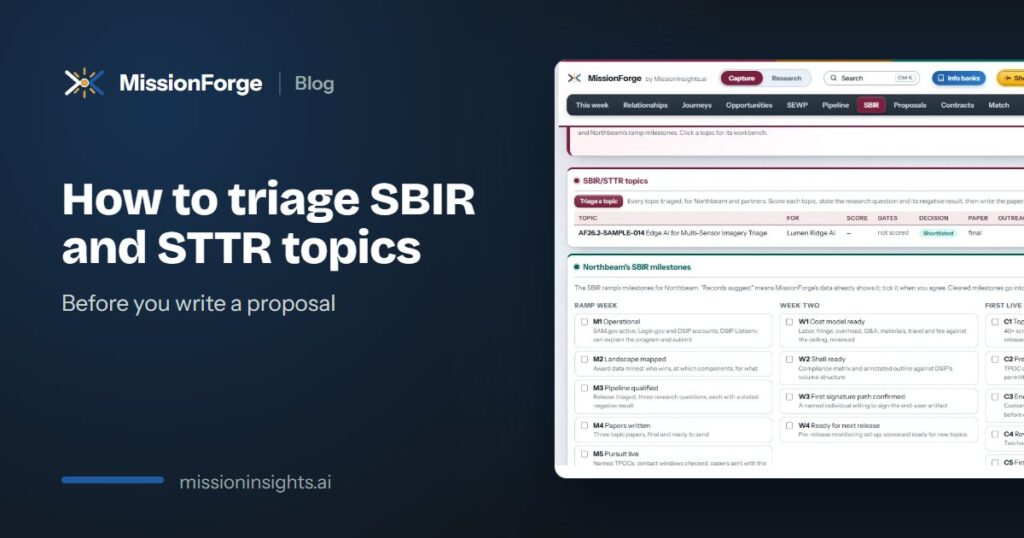
Every SBIR and STTR cycle brings a list of topics that look close to your work. The hard part is not finding one. It is saying no to the ones you were never placed to win, early enough that the time goes into the few you can. This guide walks through a simple triage, the order the pre-proposal work should happen in, and where small firms usually lose the thread.
Why triage comes before the proposal
SBIR and STTR topics run on a fixed calendar, and much of the work that decides a bid happens before anyone writes a proposal section. Once a topic opens, you can no longer talk to the technical point of contact (TPOC). If outreach starts late, the conversation that should have shaped the proposal never happens. So the first decision is not how to write the proposal. It is whether this topic deserves one.
A scorecard with three hard gates
A workable triage is six questions, each scored from one to five. The first three are hard gates, and they matter most. A score below three on any gate is a no-bid, whatever the total says.
- A named office owns the problem. Someone in government is accountable for the problem the topic describes, and you can say who.
- You have a genuine head start. Your existing work puts you ahead of a capable newcomer, not level with one.
- There is a research question with a possible negative result. If the answer could not turn out to be no, it is probably development work, not research.
The gates do the real work. A high total can hide a topic with no owner, and those are the ones that eat weeks and return nothing.
The order of the pre-proposal work
Once a topic clears the gates, the work runs in a fixed order. Each step feeds the next.
- The research question. Write it down in one sentence, including what a negative result would look like.
- A two-page topic paper. Keep a fixed structure so every paper can be compared with the last one.
- Outreach to the TPOC. Contact the technical point of contact while the window is still open, and log every call and email against the topic.
- The customer memorandum. Track each signer from not asked to signed, so nobody is surprised at the deadline.
- The Phase I proposal. Draft it from your own record: company profile, case studies, resumes and past proposals.
Where small firms lose the thread
Too many topics look close enough. Without a firm way to say no, a small team spreads itself across proposals it was never placed to win.
The contact window closes. Outreach slips behind the topic paper, and by the time anyone is ready to call, the topic is open and the conversation is no longer allowed.
Phase II never becomes Phase III. The research is done and the government paid for it. What is missing is a path to a contract and a teammate who can help carry it there. Public award data by agency, year and phase helps here, because it shows which firms already hold Phase II work that could lead to a Phase III.
How MissionForge handles it
MissionForge walks each topic through this exact sequence: the scorecard with its three hard gates, the research question, the topic paper (exported to Word once a person marks it final), TPOC outreach with the contact window shown, and the customer memorandum. It drafts outreach for a person to review and send, and it will not draft to a TPOC during a blackout. When a topic clears triage, the proposal gets a workspace with sections, a compliance matrix and color-team reviews, and a person approves each section.
You can see a sample topic worked through the whole toolkit in the free sample company, or read more on the MissionForge page for SBIR and STTR companies.